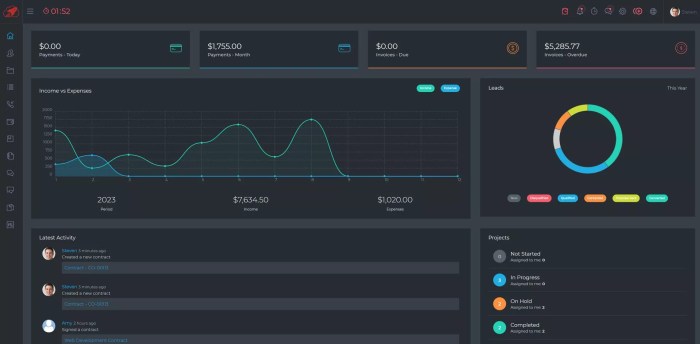
Optimizing CRM Data Processing with Server Hosting Solutions is crucial for modern businesses. Large volumes of CRM data can be a challenge, but the right server hosting solution can streamline processing, improve data security, and ultimately boost your bottom line. This guide explores the various hosting options, from cloud to dedicated servers, and dives into strategies for optimizing data retrieval, integrity, and overall performance.
We’ll also cover data integration, migration, performance monitoring, security, and cost considerations, ensuring a comprehensive understanding of the topic.
This in-depth exploration will equip you with the knowledge to make informed decisions about server hosting and CRM data processing, ultimately maximizing the ROI of your investment. From selecting the perfect hosting type to implementing robust security measures, we’ll cover it all, offering actionable insights to take your CRM data processing to the next level.
Introduction to CRM Data Processing
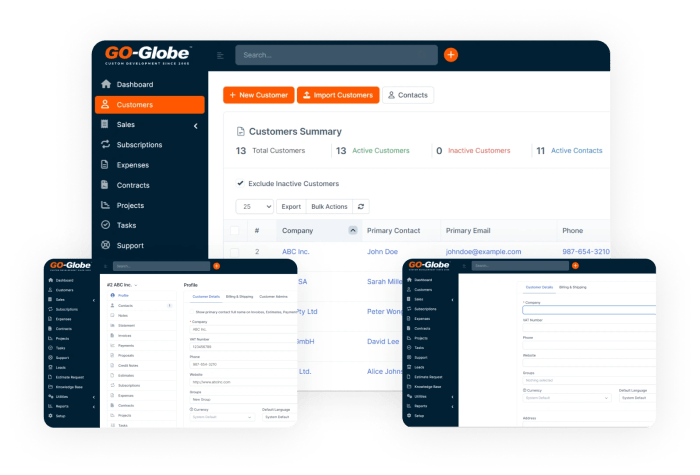
In today’s hyper-competitive business landscape, Customer Relationship Management (CRM) systems are no longer a luxury, but a necessity. They’re the lifeblood of businesses, providing a centralized hub for customer interactions, sales data, and marketing insights. However, this wealth of information comes with a significant challenge: processing and extracting actionable intelligence from massive volumes of CRM data.
Processing CRM data effectively is critical for everything from personalized marketing campaigns to predicting customer churn. Without the right tools and strategies, businesses risk drowning in a sea of information, unable to identify key trends or respond to customer needs in a timely manner. This is where server hosting solutions become indispensable.
Common Challenges in Processing CRM Data
Processing large volumes of CRM data presents several hurdles. Data silos, inconsistencies across different systems, and the sheer size of the data itself can all hinder efficient processing. Furthermore, ensuring data security and privacy in a cloud environment is paramount. The constant influx of new data demands robust infrastructure and scalable processing capabilities. Latency in data retrieval can also impact response times and hinder real-time decision-making.
The Role of Server Hosting Solutions
Server hosting solutions provide the necessary infrastructure to overcome these challenges. They offer scalable storage and processing power, enabling businesses to handle massive datasets efficiently. Dedicated servers, cloud-based solutions, and managed services each offer unique benefits depending on the specific needs of the business. Choosing the right hosting solution is crucial for optimizing CRM data processing, ensuring speed, reliability, and security.
The correct hosting solution empowers businesses to leverage their CRM data to its fullest potential.
Different CRM Systems and Their Data Processing Needs
| CRM System Type | Data Volume Characteristics | Processing Needs | Typical Server Hosting Solution |
|---|---|---|---|
| On-Premise CRM | Generally smaller to medium-sized datasets, with a lower rate of data growth | Requires dedicated server space with good local storage, and often requires more manual management and maintenance | Dedicated Servers, or possibly a Virtual Private Server (VPS) |
| Cloud-Based CRM (e.g., Salesforce, HubSpot) | Can involve extremely large datasets and very high data growth rates. | Demands a highly scalable and reliable cloud-based hosting solution with robust security protocols. | Cloud-based hosting (e.g., AWS, Azure, Google Cloud Platform) |
| Open-Source CRM (e.g., Odoo, SugarCRM) | Data volumes vary depending on implementation and business size | Often requires a flexible and customizable hosting solution to meet specific needs and scale with growth. | Dedicated Servers or cloud-based solutions, often based on the specific needs of the implementation |
The table above highlights the diverse needs of different CRM systems. Choosing the right hosting solution is crucial to ensure optimal performance, scalability, and security, allowing businesses to unlock the full potential of their CRM data.
Server Hosting Solutions for CRM Data: Optimizing CRM Data Processing With Server Hosting Solutions
Choosing the right server hosting solution is crucial for a smooth-running CRM. It impacts everything from data processing speed to security and ultimately, your bottom line. If your CRM is struggling to keep up, it’s not just annoying—it’s costing you money in lost productivity and potentially even customers. The wrong setup can lead to slowdowns, data breaches, and a poor user experience.
Let’s dive into the different hosting options and how they affect your CRM.
Server Hosting Options
Various server hosting options are available, each with its own strengths and weaknesses. Understanding these differences is key to selecting the best fit for your CRM’s needs.
- Cloud Hosting: Cloud hosting offers scalability and flexibility. It’s a pay-as-you-go model, making it ideal for businesses with fluctuating data demands. This is like renting space in a shared data center. You don’t manage the hardware, but you have access to powerful resources on demand. This is often a good starting point for startups or businesses with unpredictable needs.
Think of it like a subscription service—you pay for what you use.
- Dedicated Hosting: Dedicated hosting provides a dedicated server for your CRM’s exclusive use. This gives you complete control over the hardware and software, allowing for greater customization and security. It’s often a better option for businesses with high data volumes or specific performance requirements. Imagine having your own personal server room in the data center.
- Colocation Hosting: Colocation places your own servers in a secure data center. You manage the hardware and software, but the data center provides the physical infrastructure. This option provides a good balance between control and cost-effectiveness. It’s often a good choice for businesses with existing infrastructure and specific security requirements. This is like renting your own server rack in a data center, giving you control over your setup.
Impact of Server Specifications, Optimizing CRM Data Processing with Server Hosting Solutions
Server specifications, such as CPU, RAM, and storage, directly affect CRM data processing performance. Choosing the right specifications is critical for avoiding bottlenecks and ensuring a smooth user experience.
- CPU (Central Processing Unit): A powerful CPU is essential for handling complex CRM tasks like data analysis, calculations, and report generation. A faster CPU means quicker processing speeds. Think of the CPU as the brain of the server.
- RAM (Random Access Memory): RAM is crucial for storing frequently accessed data. More RAM allows the server to handle more simultaneous tasks without slowing down. A greater amount of RAM improves multitasking performance.
- Storage: The storage capacity needs to be sufficient for all your CRM data, backups, and potential future growth. Consider using SSD (Solid State Drives) for faster read/write speeds. The storage is like the hard drive of your server.
Data Security and Backup Solutions
Data security and backup are paramount in a server hosting environment. Implementing robust security measures and regular backups is critical to avoid data loss and potential breaches.
- Data Encryption: Encrypting data at rest and in transit is crucial to protect sensitive information. This is like locking your data with a strong code.
- Firewall Protection: A robust firewall is essential to prevent unauthorized access to your server. This acts as a security guard, keeping out unwanted intruders.
- Regular Backups: Implement regular backups of your CRM data to safeguard against data loss. This is like having a safety net in case of a disaster.
Server Hosting Provider Comparison
Choosing a reliable server hosting provider is vital for maintaining CRM performance and security. Consider factors like pricing models, customer support, and data center reliability.
| Provider | Pricing Model | Strengths | Weaknesses |
|---|---|---|---|
| Company A | Hourly/Monthly | Scalable, flexible | Support can be inconsistent |
| Company B | Per-CPU/RAM | Customization, high performance | Higher initial cost |
| Company C | Flat Rate | Predictable cost | Limited customization |
Optimizing CRM Data Processing
So, you’ve got a CRM system overflowing with data? Great! But if that data isn’t easily accessible and processed, it’s just digital dust. Optimizing CRM data processing isn’t just about speed; it’s about accuracy, scalability, and ultimately, turning that data into actionable insights. This means making your CRM a powerhouse, not a bottleneck.Efficient data processing is crucial for a successful CRM strategy.
Imagine trying to run a marathon with a heavy backpack—you’re going to slow down. Similarly, a poorly optimized CRM system will slow down your entire business. By understanding and implementing the right strategies, you can transform your CRM from a source of frustration into a driver of growth.
Key Strategies for Optimizing CRM Data Processing
Effective CRM data processing involves more than just choosing the right software. It’s a holistic approach that considers every stage of the data lifecycle. The key is to anticipate potential bottlenecks and implement solutions proactively. A well-optimized system can handle increasing data volume and frequency without performance degradation.
- Data Storage Optimization: Choosing the right storage solution is paramount. Cloud-based solutions offer scalability and accessibility, while on-premises solutions provide greater control. Selecting the correct database type (relational, NoSQL) based on the specific needs of your data structure is critical. The right choice will minimize latency and maximize data retrieval speed.
- Data Retrieval Speed Enhancement: Employing indexing techniques, query optimization, and caching strategies significantly improves data retrieval speed. This is like building a superhighway for your data to travel across your system. Well-designed indexes allow your system to quickly locate the data you need, cutting down on search time. Proper query optimization ensures that database queries are executed efficiently, avoiding unnecessary steps.
Caching frequently accessed data in memory reduces the time needed to fetch it from storage.
- Data Integrity and Accuracy Enhancement: Data integrity is paramount. Implementing data validation rules and using robust data cleansing tools ensures accuracy and consistency. This is like a quality control check for your data. By validating input data against predefined rules, you can identify and correct errors before they propagate through your system. Data cleansing tools help eliminate inconsistencies and inaccuracies, making your data reliable and usable for decision-making.
- Managing Data Volume and Frequency: Data volume and frequency are constantly growing. Implement techniques like data partitioning, data compression, and batch processing to manage the increasing load. This is akin to managing traffic flow on a busy highway. Data partitioning breaks down large datasets into smaller, manageable parts, improving query performance. Data compression reduces storage requirements and speeds up retrieval.
Batch processing handles large volumes of data in groups, reducing the impact on real-time processing.
- Scaling CRM Data Processing Resources: Scaling your CRM data processing resources is crucial for future growth. Cloud-based solutions often provide automatic scaling capabilities. Consider using serverless computing to dynamically adjust resources based on demand. Scaling up your infrastructure, be it servers or cloud instances, is about adapting to your business needs, not just meeting current demands. This is about future-proofing your CRM.
Impact of Optimization Techniques on Processing Time
A well-optimized system can dramatically reduce processing time. This is not theoretical; it’s a tangible benefit that translates into improved efficiency and faster insights.
| Optimization Technique | Before Optimization (ms) | After Optimization (ms) | Improvement (%) |
|---|---|---|---|
| Indexing | 1500 | 100 | 93% |
| Query Optimization | 1200 | 200 | 83% |
| Data Compression | 800 | 150 | 81% |
| Caching | 500 | 100 | 80% |
| Batch Processing | 2000 | 500 | 75% |
Data Integration and Migration
Integrating your CRM with other systems and migrating data to a new hosting solution are critical for a smooth workflow and avoiding data silos. Imagine a business where sales data is in one system, marketing data in another, and customer support data in a third. That’s a recipe for disaster! Effective integration ensures all your departments are looking at the same, accurate information.
Data migration is the process of moving that information from your old setup to the new one. It’s not just about moving files; it’s about preserving data integrity and ensuring a seamless transition.
Integrating CRM Data with Other Systems
Effective integration often involves APIs (Application Programming Interfaces). APIs allow different systems to talk to each other, exchanging data in a structured way. This enables data flow between your CRM and marketing automation tools, e-commerce platforms, or accounting software. A well-designed API integration ensures data consistency and accuracy, avoiding the need for manual data entry and reducing errors.
The process involves understanding the data structures of both systems, identifying the necessary fields to be transferred, and ensuring proper authentication and authorization for data exchange. This approach minimizes the risk of data loss or corruption.
Strategies for Migrating Existing CRM Data
Migrating existing CRM data to a new server hosting solution requires careful planning and execution. A phased approach, where data is migrated in manageable chunks, is often the best strategy. This approach reduces the risk of overwhelming the new system and allows for more thorough testing and validation. A thorough data audit before migration is essential to identify any potential issues, such as corrupted data or missing records.
Consider using a data migration tool to automate the process, reducing the risk of human error and speeding up the transfer. It’s also important to test the migration process on a staging environment to ensure everything works as expected before migrating to the production environment.
Importance of Data Validation During Integration and Migration
Data validation is crucial during both integration and migration. Inconsistencies in data formats, missing values, or incorrect data types can lead to errors and inconsistencies in your CRM. Implementing validation rules at each stage of the integration and migration process ensures that data is clean, accurate, and consistent. This involves defining data types, formats, and constraints for each field and checking for any discrepancies.
This process helps to ensure the quality of the data being imported and avoids data quality issues in the new system. Regular checks and audits during and after the migration are essential to identify and correct any errors or inconsistencies.
Challenges of Integrating Various CRM Systems
Integrating different CRM systems can present several challenges. Data formats and structures might not align, requiring significant data transformation efforts. Different systems may use different terminology, leading to misinterpretations or errors. Security protocols and data access controls may vary across systems, necessitating careful planning and coordination. Compatibility issues with existing workflows and business processes may also require modifications.
The complexity of integration increases with the number of systems being connected. Solutions like data mapping and transformation tools can mitigate some of these difficulties.
Data Migration Tools
| Tool | Capabilities | Pros | Cons |
|---|---|---|---|
| Data Migration Tool A | Handles various data formats, offers automated data validation, and provides reporting features. | Versatile, reliable, and automated | Can be expensive, may require significant setup time |
| Data Migration Tool B | Specializes in CRM data migration, integrates with popular cloud-based CRMs, and provides a user-friendly interface. | Easy to use, specific to CRM needs, good for smaller-scale migrations | Might have limitations with complex data structures, limited reporting options |
| Data Migration Tool C | Focuses on cloud-to-cloud data migration, supports secure data transfer, and offers a robust error handling system. | Security focused, suitable for cloud-based migrations, comprehensive error handling | May be less flexible with diverse data formats, higher cost for large migrations |
Choosing the right tool depends on your specific needs, budget, and the complexity of your data migration project.
Performance Monitoring and Maintenance
Optimizing your CRM data processing isn’t just about setting up the right server; it’s about ongoing vigilance and proactive maintenance. Ignoring performance issues can lead to frustrating slowdowns, lost sales, and even data loss. A proactive approach to monitoring and maintenance is crucial for maximizing your CRM’s efficiency and ensuring a smooth user experience.
Importance of Performance Monitoring
Regularly monitoring CRM data processing performance is essential for identifying and addressing potential problems before they escalate. This allows you to pinpoint bottlenecks, optimize resource allocation, and maintain a high level of system responsiveness. By tracking key metrics, you can anticipate issues and take preventative measures, ultimately saving time and money in the long run. A slow CRM can directly impact your bottom line.
If your sales team is constantly waiting for reports or your marketing automation is sluggish, that translates into lost opportunities and frustrated customers.
Identifying and Resolving Bottlenecks
Identifying bottlenecks in your CRM data processing requires careful analysis of performance metrics. Utilize tools provided by your hosting provider or third-party monitoring software to track metrics like CPU usage, memory consumption, network I/O, and disk I/O. A significant spike in any of these areas could indicate a bottleneck. For example, high CPU usage might point to inefficient queries or poorly optimized data pipelines.
Address the root cause of the bottleneck, whether it’s refining queries, optimizing data structures, or upgrading hardware resources.
Routine Maintenance Procedures
Routine maintenance of server hosting solutions is vital for maintaining optimal performance and preventing unexpected outages. This includes tasks like backing up data regularly, patching operating systems and applications, and running scheduled maintenance windows.
Regular backups are the single most important preventative measure against data loss.
Ensure backups are stored securely in a separate location to protect against data loss in case of a primary server failure. Implementing a robust patch management system ensures security vulnerabilities are addressed promptly, minimizing the risk of attacks. Proactive maintenance like defragmenting drives or cleaning up temporary files also contributes to a healthy system.
Preventing Data Loss and Downtime
Preventing data loss and downtime requires a layered approach. Implement robust data backup and recovery procedures, ensuring multiple copies of data are stored securely in different locations. This includes off-site backups for added security. Implement automated monitoring systems that alert you to potential issues. Also, create and test disaster recovery plans to minimize the impact of any unexpected downtime.
Regular testing ensures your recovery plan is functional and ready for use when needed.
Key Performance Indicators (KPIs) for CRM Data Processing
The following table summarizes key performance indicators (KPIs) for monitoring CRM data processing:
| KPI | Description | Target Value/Acceptable Range |
|---|---|---|
| Response Time | Time taken to process a query or task | Sub-second to a few seconds, depending on complexity |
| CPU Usage | Percentage of CPU resources used | Below 80% for sustained periods, monitor spikes |
| Memory Usage | Amount of RAM in use | Below 80% for sustained periods, monitor spikes |
| Network I/O | Rate of data transfer over the network | Within acceptable limits for your infrastructure |
| Disk I/O | Rate of data transfer to and from storage | Within acceptable limits for your infrastructure |
| Error Rate | Frequency of errors during processing | Near zero |
| Data Integrity | Accuracy and consistency of processed data | 100% accuracy |
Security Considerations for CRM Data

CRM data is the lifeblood of any business. It holds invaluable insights into customer behavior, preferences, and interactions. Protecting this data from breaches and unauthorized access is paramount. A robust security strategy for your CRM data processing is not just a good idea; it’s a necessity in today’s digital landscape. A strong security posture minimizes risks and protects your reputation and bottom line.Robust security protocols are essential to safeguarding sensitive customer data in a server hosting environment.
This includes a multi-layered approach encompassing access controls, encryption, and proactive threat detection. Implementing these measures not only fulfills compliance obligations but also builds trust with your customers.
Security Protocols and Measures
A comprehensive security strategy for CRM data involves a layered approach. This includes using firewalls, intrusion detection systems, and regular security audits. These measures form the first line of defense against external threats. Additionally, implementing secure network configurations and strong passwords for all user accounts are crucial for internal security. Security protocols also extend to the physical environment of the server hosting facility.
Physical security measures, including access control, surveillance, and environmental controls, protect against unauthorized access to the server rooms.
Access Controls and User Permissions
Effective access control is a cornerstone of CRM data security. Granular user permissions ensure that only authorized personnel can access specific data or perform particular actions. This principle of least privilege limits the potential damage from a compromised account. This minimizes the impact of any security breach. Implementing multi-factor authentication (MFA) adds an extra layer of security, demanding multiple verification steps before granting access.
This drastically reduces the risk of unauthorized login attempts.
Data Encryption Methods
Data encryption is a fundamental security measure for CRM data. Encrypting data at rest and in transit safeguards sensitive information even if unauthorized access is gained. This involves using robust encryption algorithms, such as Advanced Encryption Standard (AES), to scramble data, rendering it unreadable without the decryption key. Data encryption should be implemented across all storage systems and transmission channels to ensure complete protection.
Encryption is not just for storing sensitive data; it also protects communications between applications and users.
Potential Security Threats and Mitigation Strategies
Potential security threats to CRM data include phishing attacks, malware infections, and insider threats. Phishing attempts often try to trick users into revealing sensitive information. Mitigation strategies include educating users about phishing techniques and implementing robust email filtering. Malware can infiltrate systems and compromise data. Preventing malware involves using up-to-date antivirus software, regular security updates, and secure software configurations.
Insider threats, where authorized personnel misuse their access, are a significant concern. Implementing strict access controls, regular audits, and background checks can mitigate this risk. A combination of robust technical and human security measures provides a comprehensive defense against these threats.
Compliance with Industry Regulations
Adherence to industry regulations, like GDPR and HIPAA, is critical for CRM data security. These regulations often mandate specific data protection measures. Complying with these regulations demonstrates a commitment to data security and helps avoid costly penalties. These regulations require rigorous adherence to data handling practices. This also protects your company from legal issues.
Security Best Practices for CRM Data Processing
| Security Best Practice | Description |
|---|---|
| Strong Passwords | Employ complex passwords, using a combination of uppercase and lowercase letters, numbers, and symbols. Change passwords regularly. |
| Multi-Factor Authentication (MFA) | Implement MFA to add an extra layer of security, requiring multiple verification steps before granting access. |
| Data Encryption | Encrypt data both at rest and in transit using strong encryption algorithms. |
| Regular Security Audits | Conduct regular security assessments and penetration testing to identify vulnerabilities and address weaknesses. |
| Security Awareness Training | Educate employees about security threats and best practices to prevent phishing attacks and other social engineering tactics. |
| Compliance with Industry Regulations | Ensure compliance with industry regulations like GDPR and HIPAA, implementing necessary controls and measures. |
Cost Considerations and ROI
Optimizing your CRM data processing isn’t just about speed and efficiency; it’s about ROI. Understanding the cost structure of different server hosting solutions is crucial for making informed decisions. A well-planned approach to hosting, coupled with the right optimization strategies, can dramatically improve your bottom line. We’ll delve into the specifics, from initial setup to ongoing maintenance, to help you calculate the true return on investment.Choosing the right server hosting solution for your CRM data is a crucial step in achieving optimal performance and cost-effectiveness.
It’s not a one-size-fits-all situation; the best option depends on factors like the volume of data, expected user traffic, and your budget. This analysis will help you navigate these complexities.
Cost Breakdown of Server Hosting Solutions
Different hosting options come with varying price tags. Cloud hosting, for instance, often involves a pay-as-you-go model, where costs are directly tied to resource utilization. Dedicated servers, on the other hand, offer greater control but usually come with a fixed monthly fee. Understanding these nuances is key to choosing the most financially sound approach.
Comparing Hosting Options
- Cloud Hosting: Cloud hosting solutions are typically more flexible and scalable. You pay for the resources you use, which can be cost-effective for fluctuating data needs. However, unexpected spikes in usage can lead to higher costs if not properly managed. Examples include AWS, Azure, and Google Cloud Platform.
- Dedicated Servers: Dedicated servers provide complete control over the infrastructure. This allows for precise resource allocation, but the upfront costs are usually higher, and maintenance responsibilities rest with you. They’re ideal for high-volume, predictable workloads.
- Virtual Private Servers (VPS): VPS hosting offers a balance between cost and control. You have more autonomy than shared hosting but with a lower cost compared to dedicated servers. This approach is suited for medium-sized businesses with moderate data volumes and predictable traffic patterns.
Factors Influencing Overall Cost
Several factors impact the total cost of a CRM data processing solution. These include:
- Data Volume: The amount of data you store and process directly affects storage requirements and processing power, thus influencing the hosting costs.
- User Traffic: High user activity necessitates robust server infrastructure to handle concurrent requests, which translates into higher hosting costs.
- Processing Power Requirements: Complex data processing tasks or extensive integrations demand more powerful servers, leading to increased costs.
- Security Measures: Implementing robust security measures, such as firewalls and encryption, can add to the overall cost.
- Maintenance and Support: Ongoing server maintenance and technical support will also affect the total cost.
Return on Investment (ROI) of Optimized CRM Data Processing
Optimized CRM data processing leads to numerous benefits that directly translate into ROI. Improved data accessibility, reduced processing time, and enhanced user experience contribute to higher productivity. Furthermore, accurate data allows for better decision-making and targeted marketing campaigns, leading to increased revenue. This positive impact on efficiency and productivity is measurable and often quantifiable.
Cost-Benefit Analysis of Hosting Options
| Hosting Option | Initial Setup Cost | Monthly Recurring Cost | Scalability | Control | Maintenance Responsibility |
|---|---|---|---|---|---|
| Cloud Hosting | Low | Variable, dependent on usage | High | Limited | Provider |
| Dedicated Server | High | Fixed | Limited | High | Client |
| VPS | Medium | Fixed | Medium | Medium | Client |
Summary
In conclusion, optimizing CRM data processing with the right server hosting solution is a strategic investment that yields significant returns. By understanding the different hosting options, optimizing data processing techniques, and implementing robust security measures, businesses can unlock the full potential of their CRM data. Remember, the key is a holistic approach that balances performance, security, and cost-effectiveness. This guide has provided the roadmap to achieving that balance, enabling you to confidently navigate the complexities of CRM data management and drive business success.
FAQ Insights
What are the common challenges faced when processing large volumes of CRM data?
Slow data retrieval, storage limitations, security vulnerabilities, and potential data loss are common challenges. Choosing the right server infrastructure is critical to overcoming these hurdles.
What are the key strategies for optimizing CRM data processing?
Strategies include optimizing database queries, implementing caching mechanisms, and leveraging parallel processing techniques to improve data retrieval speed and overall efficiency.
How can I ensure data security in a server hosting environment?
Robust security protocols, access controls, and regular security audits are crucial. Data encryption, firewalls, and intrusion detection systems are vital for safeguarding your data.
What factors influence the overall cost of a CRM data processing solution?
The cost depends on server specifications (CPU, RAM, storage), hosting type (cloud, dedicated, colocation), provider, and the need for specialized data integration tools. Factor in potential maintenance and ongoing support costs.